Feature Flags

Control which features are visible and enabled in your Orient instance.
Overview
Feature Flags allow administrators to enable or disable specific features in Orient. This is useful for:
- Staged rollouts: Enable features for testing before full deployment
- Simplifying the UI: Hide features you don't use
- Troubleshooting: Disable features that may be causing issues
Accessing Feature Flags
- Go to the Dashboard
- Navigate to Settings in the sidebar
- Click on Feature Flags
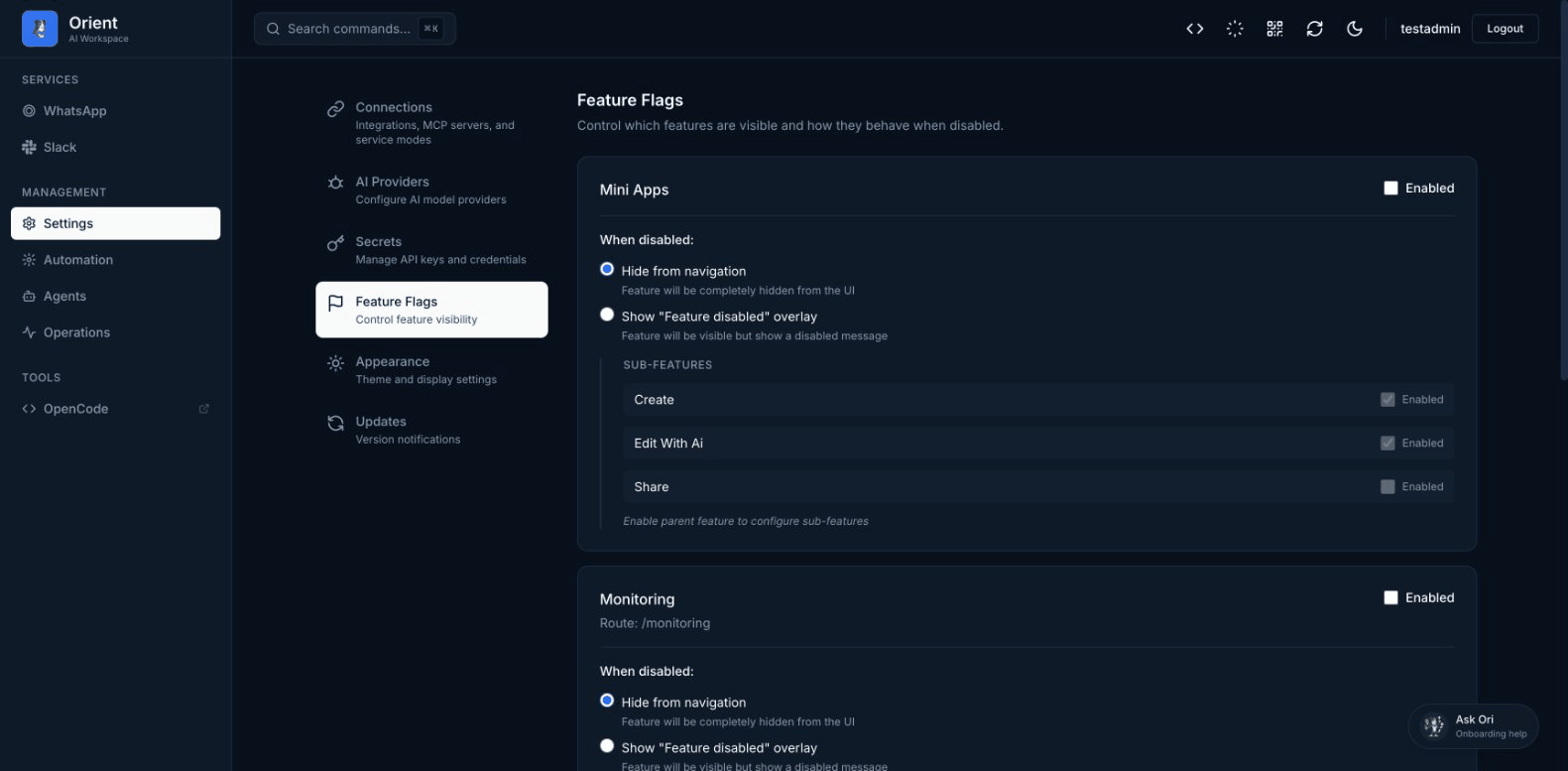
Available Features
| Feature | Description |
|---|---|
| Mini Apps | AI-generated interactive applications |
| Scheduling | Scheduled messages and reminders |
| Webhooks | External event notifications |
| Agents | AI agent configuration |
| Integrations | Third-party service connections |
| Monitoring | System health and metrics |
How It Works
Enabling a Feature
- Find the feature in the list
- Check the Enabled checkbox
- The feature will be immediately available
Disabling a Feature
When you disable a feature, you can choose how it appears in the UI:
- Hide from navigation: The feature is completely hidden
- Show "Feature disabled" overlay: The feature is visible but shows a disabled message
Sub-features
Some features have sub-features that can be individually controlled. For example, the Mini Apps feature has:
- Create: Ability to create new mini-apps
- Share: Ability to generate share links
Sub-features can only be enabled if the parent feature is enabled.
Environment Overrides
Feature flags can also be set via environment variables, which take priority over the UI settings:
# Enable a feature
FEATURE_FLAG_MINI_APPS=true

# Disable a feature
FEATURE_FLAG_SCHEDULING=false
This is useful for deployment automation or when you want to enforce certain settings.
Priority Order
Feature flag values are resolved in this order (highest priority first):
- Environment variables (
FEATURE_FLAG_*) - Database settings (via Dashboard UI)
- Schema defaults (built-in defaults)
Troubleshooting
| Problem | Solution |
|---|---|
| Feature won't enable | Check if there's an environment variable override |
| Settings not saving | Ensure you have admin permissions |
| Feature still showing after disable | Try refreshing the page or clearing cache |
Next Steps
- Configure secrets for API keys
- Set up webhooks for notifications
- CLI reference for command-line management