Welcome to Orient

Your private AI assistant that actually does things — schedule meetings, manage tickets, build mini-apps, draft documents — all through natural conversation. Self-hosted, open-source, fully yours.
Why Orient?
| Privacy-first | Runs on your machine. Zero telemetry, zero tracking. Your data never leaves your infrastructure. |
| Actually useful | Not just a chatbot — Orient takes action. It schedules meetings, updates Jira tickets, creates mini-apps, and drafts documents. |
| Works everywhere | Same assistant across WhatsApp, Slack, your IDE, and the command line. Your context follows you. |
Quick Start
Get Orient running with one command:
curl -fsSL https://orient.bot/install.sh | bash
Then start Orient:
orient start
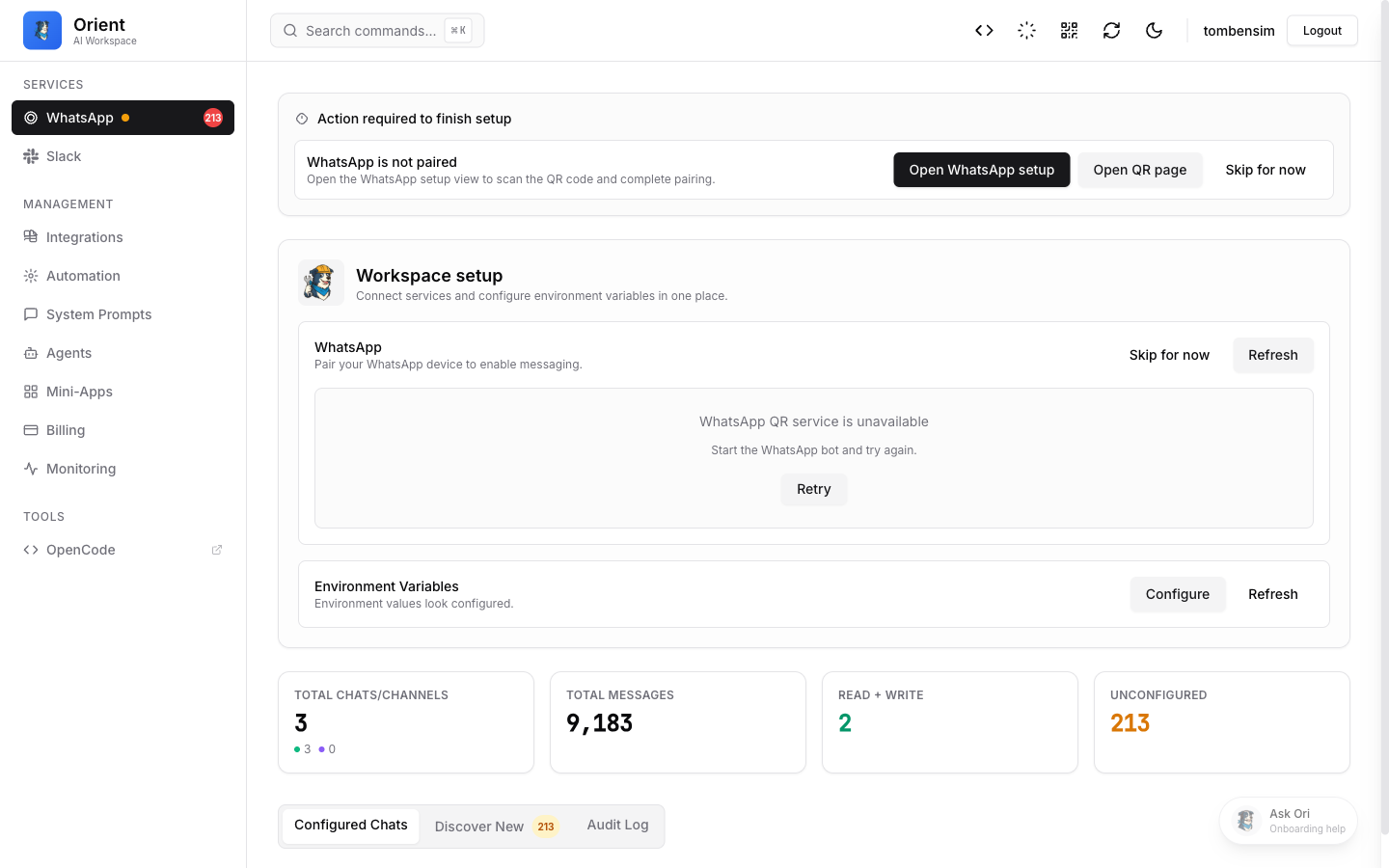
Open the dashboard at http://localhost:4098 and scan the QR code to connect WhatsApp.
Then connect your preferred platform:
- WhatsApp — Scan a QR code and start chatting
- Slack — Add to your workspace in minutes
- Google — Connect Calendar, Gmail, and Docs
What Can Orient Do?
- Chat naturally — ask questions, get summaries, brainstorm ideas (learn more)
- Schedule messages & reminders — one-time, recurring, or cron-based (learn more)
- Build mini-apps — forms, dashboards, schedulers — generated on demand (learn more)
- Manage integrations — Jira, Google Workspace, GitHub, and custom MCP servers (learn more)
- Configure agents — specialized assistants with custom prompts and permissions (learn more)
- Extend with skills — add new capabilities or create your own (learn more)
Dashboard Preview
Self-Hosting
Orient is open-source (MIT licensed) and designed to be self-hosted. No cloud dependency, no accounts to create. See our Architecture Overview for how it works under the hood, and our Security Model for how your data is protected.
Need Help?
- Tips & Tricks — get the most out of Orient
- FAQ — common questions answered
- Troubleshooting — fix common issues
- GitHub — report bugs, request features, contribute